Cross-product procurement
How to Organize an FRP Grating RFQ for Panels, Treads and Fixings
A mixed order can include molded panels, pultruded pieces, mini mesh, stair products, accessories and different documents. Keep one project item master, but give each product family its own technical and commercial row so suppliers quote the same scope.
Prepared by
Dengtai Industry
Published
·
Reviewed

Different finished pieces appear together in one project. Their item IDs and technical scopes remain distinct. Photo: Dengtai Industry.
RFQ vocabulary
Ten Terms That Keep a Mixed Order From Losing Its Identity
Product family, item ID, fabrication, accessories and documents each answer a different question.
- Mixed-product RFQ
- A request that combines two or more FRP product families, such as molded panels, pultruded grating, mini mesh, stair treads, covers, clips or other accessories.
- Project item master
- The controlled list of every product, finished piece, accessory group and document line in the project, each with a stable ID, description and quantity basis.
- Product family
- A group with its own construction and technical fields, such as molded grating or pultruded grating. Families can share a project but should not share an undifferentiated specification row.
- Variant
- A specific row within a product family, defined by depth or bar section, mesh, pitch, resin, surface or another distinguishing field.
- Finished piece
- A delivered cut, drilled, bonded or assembled item made to the approved drawing. Its piece ID remains connected to the source product row and the final size.
- Accessory set
- Clips, bolts, washers, anchors, edge trims or other separately supplied items grouped by type, material, fixing locations and quantity.
- Document line
- A named deliverable such as a datasheet, drawing, inspection record, conformity certificate, test report or packing list, including issuer and required stage.
- Commercial line
- The quoted unit or lump-sum basis, quantity, price, trade term, packing, delivery point and exclusions.
- Quote normalization
- Restating every offer on the same item, quantity, technical, accessory, document and delivery basis before comparing totals.
- Substitution
- A proposed change in product, material, accessory or scope. It needs a written decision and a new item or revision before it can be treated as equivalent.
RFQ types
Why a Mixed Product Inquiry Needs a Different Structure
Simple orders can use a short form; mixed orders need a reusable item-master method.
| RFQ type | Useful structure | Main failure risk | Review method |
|---|---|---|---|
| Single standard panel order | Product row, panel size, quantity, colour and delivery | A simple RFQ can remain clear if the panel identity is exact | Compare the same row, quantity basis and delivery place |
| Single custom cut-piece order | Source panel row plus finished-piece schedule and drawing revision | The source panel and final pieces may be quoted as if they were the same item | Review panel identity, cut list, edge treatment, accessories and inspection |
| Mixed panel and accessory order | Product rows plus separate fixing sets and hardware | “Clips included” can conceal quantity, type, material or mounting-location differences | Compare each accessory line and its assigned panel or support location |
| Mixed structural and stair order | Different product families with separate load and dimensional assumptions | One technical basis is stretched across unrelated products | Keep family-specific drawings, loads, support and evidence rows |
| Multi-supplier project package | One buyer item master with each supplier’s scope identified | Interfaces, split supply and document responsibility become unclear | Use common item IDs and a responsibility matrix across suppliers |
Product families
Six FRP Product Families With Different Comparison Fields
A shared material category does not make every product row interchangeable.
| Product family | Fields that must stay in the family row | Common comparison mistake |
|---|---|---|
| Molded grating | Depth, mesh, panel size, resin, surface, colour and fabrication | Comparing depth alone while mesh, resin or finished size changes |
| Pultruded grating | I, T or WT row, pitch, bearing-bar direction, length, resin and cross rods | Comparing a rotated or different profile because the outer size matches |
| Mini-mesh grating | Upper and lower mesh, depth, panel size, resin and surface | Naming only the upper opening while the lower grid and total depth differ |
| Covered grating | Base, cover layer, interface, total height, edges and fixing | Comparing a top plate with a complete base-plus-cover assembly |
| Stair treads and covers | Tread or cover class, width, depth, nosing, support, fixing and surface | Using platform-panel data as a stair tread or cover approval |
| Clips and hardware | M/L/C or other type, panel fit, alloy, bolt, washer, anchor and locations | Treating different clip letters, materials or hardware packs as equal |
Item master
The Fields Every Mixed FRP Grating RFQ Should Carry
Ten fields connect each product, quantity, document and commercial basis.
| Item-master field | Required value or reference | Why it must remain visible |
|---|---|---|
| Item ID | Stable project code unique across products | Links the drawing, quotation, inspection, packing and shipment |
| Product family | Molded, pultruded, mini mesh, covered, stair or accessory | Prevents unrelated technical rows from collapsing into one |
| Configuration | Depth/profile, mesh or pitch, resin, surface and colour | Defines the exact quoted product row |
| Geometry | Full panel or finished size, orientation, openings and edge treatment | Separates source material from delivered fabrication |
| Quantity basis | Pieces, panels, metres, sets or locations with units | Makes prices and quantities comparable |
| Accessories | Type, material, hardware and fixing locations | Makes the supplied fixing scope visible |
| Documents | Record or report, scope, issuer and required stage | Prevents assumed or late evidence |
| Packing and delivery | Pack type, marks, gross mass limit, Incoterm and named place | Normalizes the commercial and logistics basis |
| Drawing revision | Current approved revision for each fabricated item | Stops superseded pieces from entering production |
| Responsibility | Supplier, buyer, engineer, installer or other owner | Keeps interfaces and approvals from becoming invisible |
RFQ readiness
When a Mixed Grating Package Is Ready to Quote
Use these gates before a supplier returns a single combined total.
Specify this if…
- Every item has one stable ID, product family and quantity basis.
- The source panel and any finished fabrication are separately stated.
- Accessories have type, material, locations and quantities.
- Documents and delivery are named before comparing totals.
- The same drawing revision is used across the technical and commercial package.
- Proposed substitutions require written approval and a revised item.
Look elsewhere if…
- Several product families share one “FRP grating” line.
- “Clips included” hides the fixing scope.
- A price per square metre is mixed with piece prices without a mapping.
- Cut pieces have no drawing revision or item identity.
- Documents are promised generically without product scope.
- Suppliers quote different trade terms or packing and the totals are compared directly.
Two-offer example
How Two Mixed Quotes Can Hide Different Scopes
Return each supplier line to the same Item ID and technical basis before comparing price.
| Example Item ID | Supplier A scope | Supplier B scope | Normalization action |
|---|---|---|---|
| M-01 | Molded panel in the specified depth and resin | Molded panel in another depth or resin | Treat as different product rows; do not compare the unit price until the configuration matches |
| P-02 | Stated I/T/WT row and bearing direction | Same outside size but no bar-row or orientation stated | Request the exact profile and allowed direction before pricing |
| A-03 | Clip type, alloy, hardware and count by location | “Clips included” with no material or quantity schedule | Convert the allowance into a defined accessory set |
| D-04 | Inspection record and conformity certificate included | Certificate only; dimensional record excluded | Add the missing deliverable and issuer before comparing totals |
| L-05 | EXW at the supplier’s works | Packed and delivered to the named port | Normalize packing, freight, trade term and named place |
Build the RFQ Around the Project, Not the Supplier Menu
A mixed FRP grating requirement usually begins with a project list: platform panels here, a stair package there, grating covers in another area, clips for several supports and documents for the tender. If the buyer sends those objects as a paragraph, each supplier may reorganize them differently. One offer may price panels but exclude cutting; another may include clips without hardware; a third may quote one report for the whole order without identifying what it covers.
The buyer’s first job is to create the project item master. This is one controlled list of all product, fabrication, accessory and document objects. It uses stable IDs and explicit quantity units. A supplier can quote only its part, but it should use the same IDs and expose exclusions.
The item master is not a design drawing and it does not replace technical review. It is the indexing system that keeps the technical and commercial review connected.

Start With Stable Item Identity
A useful ID can be simple: M-01 for a molded panel group, P-02 for a pultruded group, S-03 for stair treads and A-04 for an accessory set. The letters are descriptive but do not replace the full product row.
The ID should follow the item through:
- the RFQ and tender comparison;
- supplier quotations;
- approved drawings and cut lists;
- production and inspection records;
- packing lists and piece labels; and
- delivery and installation checks.
If two items share an outer size but differ in resin, bar direction, surface, opening or fixing, they should not share one ID. The factory-cut versus site-cut guide explains why a source panel and its finished pieces may need separate levels of identity.
Describe Each Product Family With Its Own Fields
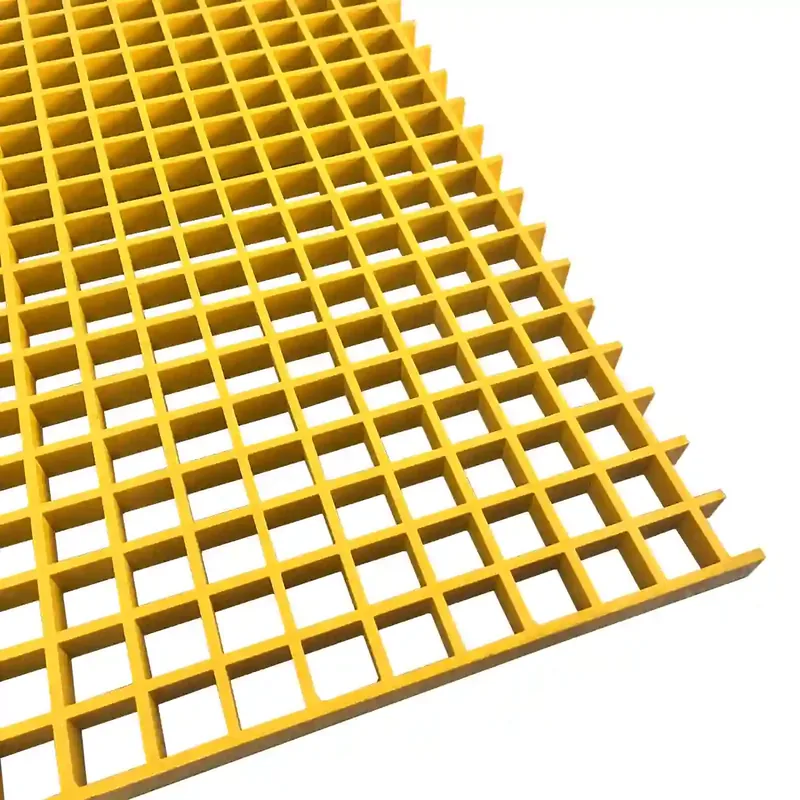
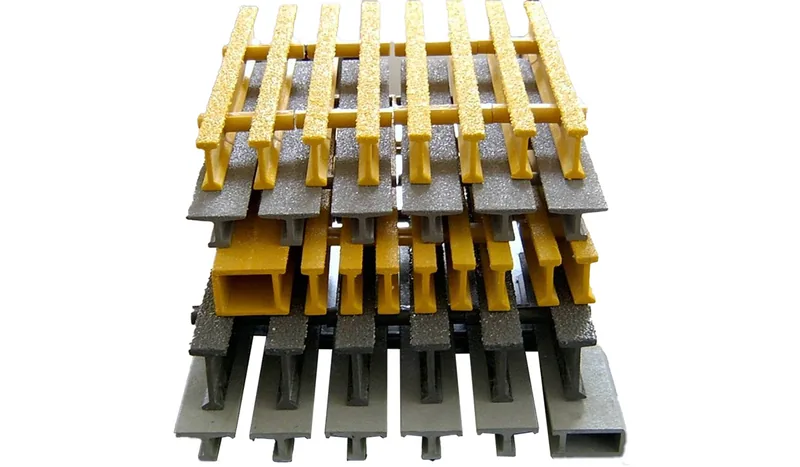
The words “FRP grating” do not provide a comparable technical row. Molded grating needs depth, mesh, panel size, resin and surface. Pultruded grating needs the exact I, T or WT row, bearing-bar pitch and direction. Mini mesh must identify both grids. Covered grating needs base, cover and interface.
Stair treads and covers are a separate family. Platform-panel load data does not automatically approve a tread, and a surface cover is not necessarily a load-bearing tread. The stair quotation guide contains the additional nosing, depth and fixing fields.
If the same project uses several families, keep them in adjacent rows of one master schedule. This is easier to review than separate supplier menus with incompatible item names.
Separate Product, Fabrication, Accessories and Services
A clear RFQ allows a supplier to quote:
- the product row;
- cutting, drilling, edge treatment and marking;
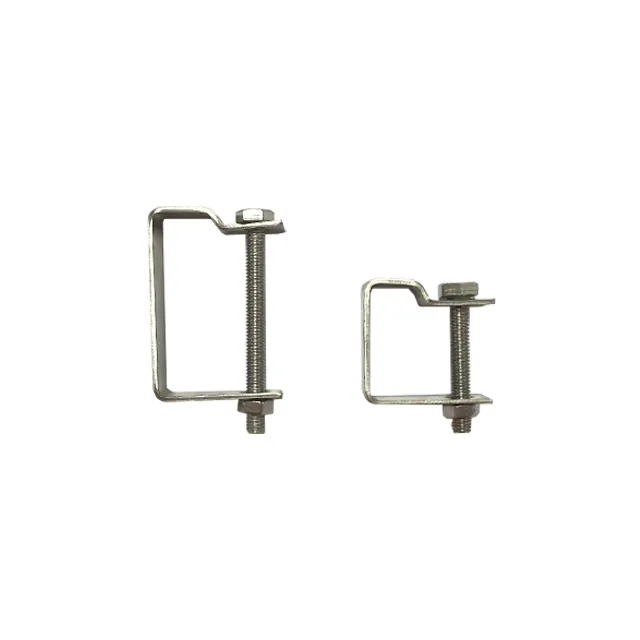
- clip sets, bolts, washers or other hardware;
- inspection, documents or third-party testing; and
- packing, transport and the named delivery place.
This structure is also a negotiation tool. If one offer is lower, the buyer can see whether it contains a different resin, omits edge treatment, packs fewer clips or excludes a report. The mixed stair quotation guide applies the same principle to a narrower stair package.
Do not place everything under an “accessories allowance.” If the count, type or material is unknown, state it as unknown and request a clarification line. A hidden allowance is not a defined supply.
Attach the Documents to the Correct Item
Mixed orders often request one certificate or report for the whole shipment. That can be reasonable for a conformity certificate, but technical evidence may not cover every product family.
Build a document matrix:
| Document | Applies to | Issuer | Required stage |
|---|---|---|---|
| Current datasheet | Named molded or pultruded row | Supplier or manufacturer | With quotation |
| Approved drawing | Cut pieces and assemblies | Buyer and supplier | Before production |
| Inspection record | Delivered pieces or batch | Factory | Before packing |
| Certificate of conformity | Named order or batch | Issuer named by supplier | Before shipment |
| Test report | Named specimen and test conditions | Laboratory or other stated issuer | Before approval |
| Packing list | Packages and piece IDs | Factory | Before shipment |
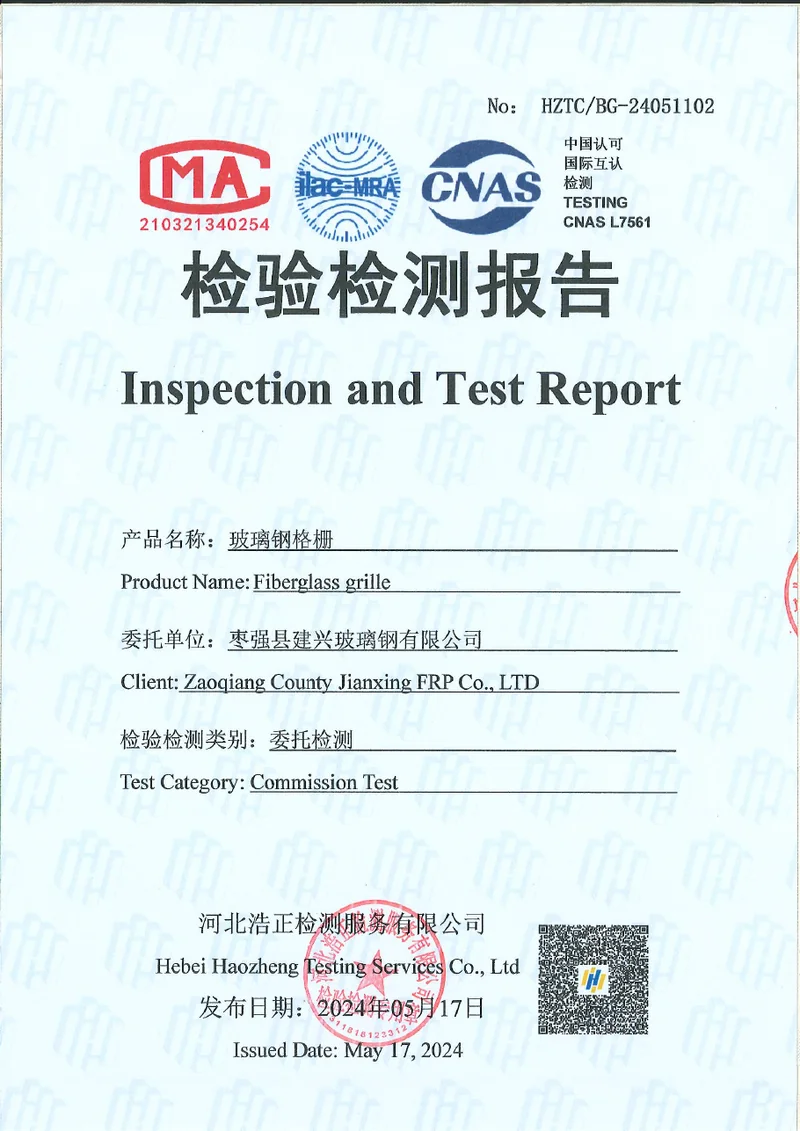
The available HZTC/BG-24051102 report should not be requested as “the test report for the mixed order.” It covers named samples and conditions. If a project requires evidence for a different product or finished assembly, that scope must be agreed. The test report applicability guide explains how to review it.
Normalize Every Quotation
Before reviewing totals, rebuild each supplier’s quote against the buyer’s item master. Check:
- missing and duplicate item IDs;
- product row differences;
- finished size and quantity;
- accessory type, material and count;
- included and excluded fabrication;
- document scope and timing;
- packing, trade term and named place; and
- validity, payment and lead time.
The comparison should preserve the supplier’s original. Do not silently translate a product or substitute a material. Mark the difference, ask whether it is an intentional alternative and require the buyer or project engineer to decide.
Normalize the Commercial Terms as Well
Two mixed quotations can contain the same technical rows and still be financially different. Before comparing totals, make a separate commercial column for each offer:
- currency and exchange-rate basis;
- quotation validity;
- Incoterm and named place;
- packing, export crating and loading responsibility;
- freight, insurance and taxes included or excluded;
- payment milestones and any advance-payment security;
- production lead time and delivery-date basis;
- inspection, witness point or pre-shipment access;
- document set and issue timing; and
- warranty, replacement and claim route.
Do not accept “payment to be discussed” or “freight excluded” as a small footnote. Those terms can change the cash exposure and delivered comparison more than a small panel-price difference.
Control the Sample and First Order
A sample approval does not automatically approve the production batch. Define what the sample verifies, such as colour, mesh, surface, approximate thickness, edge finish or packing label. Then state which drawing revision and product rows the first order must follow.
For a mixed package, a pre-production cut piece may be more useful than a standard sample because it tests an actual opening, edge and marking. A pre-shipment inspection can provide a second hold point, but its scope and inspector should be agreed before production. Record the approved sample and photographs with the item IDs so later deliveries can be compared consistently.
Use Change Control, Not Chat Memory
When an item changes, update the item master and the approved drawing together. A new resin, size, opening or clip count should create a visible revision. Production and packing should not mix the old and new scope unless the split is deliberate and identified.
The supplier’s quotation should also show the commercial effect. A change that is technically approved but financially hidden returns later as a delay, a credit note or a disputed shipment.
The Factory View We Apply
Our own review starts with the item master. We identify whether the line is a molded panel, pultruded panel, mini mesh, covered item, cut piece, stair product or accessory. Then we map the drawing revision, quantity, resin and surface, fabrication, fixings and documents.
We can quote mixed products, but we do not treat one product row as evidence for another. A molded panel datum is not a pultruded bar schedule, and a platform-panel report is not a stair-tread approval. The manufacturer checklist explains how that boundary is reviewed at supplier level.
The result is a quotation that can be checked line by line rather than a single number that has to be trusted.
RFQ sequence
From Project Objects to Comparable Quotes
Six steps align item identity, technical scope, evidence and commercial terms.
Start with panels, treads, covers, accessory sets and document requirements rather than supplier catalogue pages.
Give each product or service a unique ID that can follow drawings, prices, inspection and packing.
Describe molded, pultruded, mini-mesh, covered and stair items with their own required fields.
Show cutting, openings, edge treatment, clip sets and hardware as visible quote scope.
Name evidence, issuer and stage, then repeat the packing, trade term and destination for each offer.
Rebuild every supplier’s prices against the same item master before comparing the total.
Scope integrity
Four Problems That a Combined Total Can Hide
The number on the last page is only comparable when every earlier row matches.
- One total price is not one comparable scope — A mixed order can hide different product rows, fabrication, accessories, documents, packing or freight. The total becomes meaningful only after those elements are normalized.
- Same-size items can remain different products — Molded and pultruded panels, stair treads and covers can share an outline while carrying different load paths, fixing and evidence.
- Accessories require a location and count — A clip type and material are not enough. The item master should identify where each fixing set belongs and how many are supplied.
- A sample does not close the whole RFQ — A sample can approve one visible item. The mixed package still needs drawing, quantity, document, packing and commercial control.
Project checklist
What to Include in a Mixed FRP Grating RFQ
Ten groups build a package that technical and commercial reviewers can both use.
- Project overview — Site, application, tender or order reference and required delivery date.
- Item master — Stable item IDs, descriptions, quantities and units for every product and service.
- Product families — Separate molded, pultruded, mini mesh, covered and stair rows.
- Technical configuration — Depth or profile, mesh, pitch, resin, surface and colour by family.
- Finished geometry — Piece sizes, orientation, openings, edge treatment and drawing revision.
- Accessories — Clip or fixing type, material, hardware, locations and count.
- Documents — Datasheet, drawing, inspection, conformity certificate or test report, with issuer and stage.
- Packing and marks — Package type, piece labels, gross mass limit, protection and photographs if required.
- Commercial basis — Incoterm, named place, currency, validity, payment and exclusions.
- Change route — Who approves revisions and how item IDs, price and schedule are updated.
Quote structure
What Each Mixed-Product Quotation Must Separate
The item ID stays constant while products, fabrication, accessories and services have distinct lines.
Request a Project Quote| Specification | Value |
|---|---|
| Product rows | One family and variant per row Do not let one item ID describe two structures or two technical bases. |
| Finished pieces | Item ID plus drawing revision State source product, final size, openings, orientation and edge treatment. |
| Accessories | Separate type, material and count Connect each fixing set to a panel, support line or installation area. |
| Documents | Named output and acceptance scope A generic “certificate available” statement is not a document schedule. |
| Quantity | Pieces, panels, sets, metres or locations Use one explicit unit and ensure every quote uses the same basis. |
| Delivery | Packing, trade term and named place Compare offers only after these commercial fields are aligned. |
| Revision | Current approved set Superseded drawings and substitutions should be visibly excluded. |
| Responsibility | Written by item and interface Keep support design, installation, testing and system approval visible. |
Request a quote
Send One Item Master for the Whole Mixed Package
Include every product, accessory and document row even when the supplier quotes only part of the scope.
- Keep one stable item ID
- Separate product, fabrication and accessories
- Normalize documents and delivery
Mixed FRP Grating RFQ Questions
Can I combine FRP panels, clips and stair treads in one RFQ?
Should a mixed quote use one price per square metre?
Why assign an item ID before quotation?
How should cut pieces be described?
How do I ask for clips and hardware?
Can a supplier quote one product as an alternative to another?
How should test reports be requested in a mixed order?
How should shipping be compared?
What is the most common mixed-order error?
Does one supplier have to provide every line?
This content was prepared and reviewed by Dengtai Industry’s technical and production team using the project conditions, available product data and applicable documents. Limits that require design, testing or approval are identified in the content. Content last checked: